
Informational guide · official store data
Your expenses,
captured with a snap
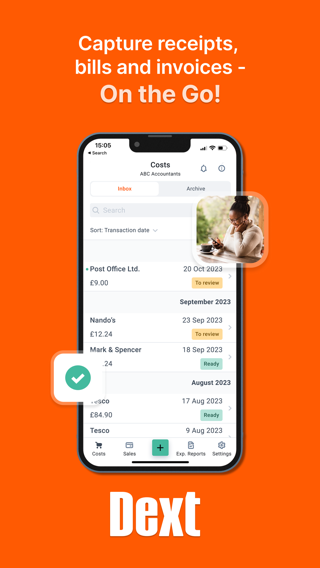
“Dext is the best expense tracker app that effortlessly extracts data from receipts or invoices, regardless of their size or quantity.”
— official App Store description
- App Store
- 4.78 ★
- Google Play
- 4.78 ★
- Category
- Business
- Available since
- 2011

Screenshots from the official listing
What Dext is
Dext is a cloud-based expense management app for iPhone and Android. It extracts data from receipts, bills and invoices, itemises and categorises it, and connects with accounting systems. This page is an independent informational guide, not the official developer site.
Features
What the app offers
Receipt data extraction
“Our Optical Character Recognition, with 99.9% accuracy and combined with AI, digitises any receipts, bills, and invoices, decoding even handwriting.”
Supplier and accountant integration
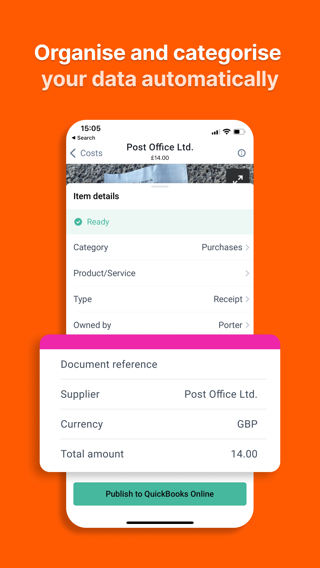
“Your expense data seamlessly travels from 1,400+ suppliers – such as Xero, Sage and QuickBooks.”
Camera modes
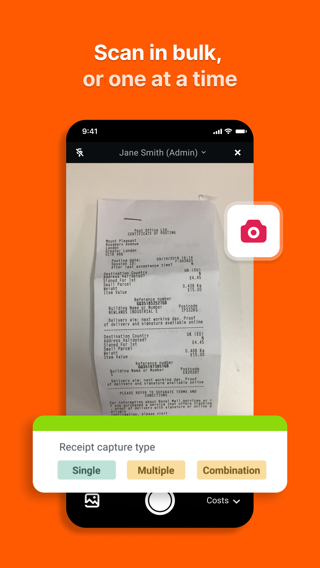
“Single mode to extract a single receipt, multiple mode to capture several expenses (Dext separates each photo into a separate item), and combine mode to capture expense data spread over several pages or for very long receipts (Dext combines photos into one item).”
Connect to QuickBooks and Xero
“This new feature integrates software with just a couple of taps, enabling you to start tracking and sending expenses automatically to your accountant.”
Expense itemisation
“Your data will then be categorised by industry type, expense category, document type (receipt, invoice, bank statement, credit note), owner, submission details, supplier, currency, tax amount, payment status, and more.”
Bookkeeping workspaces
“Sales workspace to track the invoices and other financial documents that your business issues to its customers for payment.”
Three steps
Download the app
Free to install from the App Store or Google Play.
Sign up
Create your Dext account through the app.
Snap and submit
Photograph receipts and submit your expenses.
The average store ratings
We publish only the official store averages, with a link to the source. Individual reviews are not reproduced here.
FAQ
Is the app free?
Does it work on Android?
Who develops the app?
Which accounting tools does it integrate with?
What are the device requirements?
Get started with Dext
Free to install. View the app on the App Store or Google Play.